




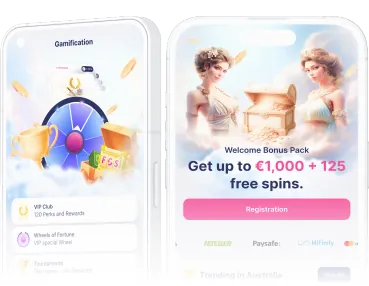
Fortunica mobile access and Android app
 Written by Frank Op de Woerd · Updated
Fortunica works in a mobile browser, so an app download is not required to reach the casino on your phone. Android users also have a download option on the site; iPhone users can use Safari and add a home-screen shortcut. I would choose the route that is easiest to maintain, then check the cashier and bonus conditions before playing.
On this page
Browser or Android app: choose your route
The mobile-optimised website is the starting point for both Android and iPhone. The casino and sportsbook share one account, with the Casino / Sport switch in the navigation. You do not need a separate mobile registration simply because you move from a computer to a phone.
| Device | Available route | Installation needed? |
|---|---|---|
| Android phone | Mobile browser or download from the site | Only for the Android app |
| iPhone | Safari, optionally with a home-screen shortcut | No iOS app is listed |
| Mobile browser | Open fortunica.io directly | No app download |
The distinction matters when searching for a download. A home-screen shortcut opens the website; it is not evidence of a separate iOS application. Similarly, an Android download link should come from Fortunica itself, not a file attached to a message or a download directory with a familiar-looking logo.
How to download on Android
Fortunica lists an Android button in the sidebar and a section labelled “Download Apps for Mobile Devices”. Start from fortunica.io in your phone's browser. Check the address before accepting a download, especially if you arrived through an advertisement or a search result.
- Open the casino site in your Android browser.
- Open the sidebar and find the Android download option.
- Use the site's download link and read the device prompt.
- If Android blocks installation, allow installation from that browser in your device settings.
- Open the downloaded installer and follow the on-screen instructions.
- After installation, turn off the browser's installation permission if you no longer need it.
Android menu labels differ between devices, so follow the permission screen rather than expecting one exact wording. Allowing installation from a browser is a security decision. It does not mean you should leave that browser authorised to install anything indefinitely, or approve files from unrelated websites.
If you prefer not to change that setting, stop there and use the browser version. Installation is an alternative way to reach the service, not a reason to override a warning you do not understand. The login page covers account access if installation succeeds but signing in does not.
Choose the browser version or find the Android download on the site.
Open Fortunica on mobileiPhone: Safari and a home-screen shortcut
No iOS app is listed. On iPhone, open fortunica.io in Safari and use the mobile website. For quicker access later, Safari lets you place a shortcut on your home screen. This is a convenient bookmark-like route to the site, not an App Store installation.
- Open the official domain in Safari.
- Check that you are on the page you intend to save.
- Open Safari's Share menu.
- Choose Add to Home Screen and confirm the shortcut.
- Use the new icon to return to the website.
If the shortcut looks different after a browser update, open Safari directly and check the site there. A saved icon does not remove the need to check a login page or keep your phone secure. Avoid saving your password on a device shared with other people.
For Elise in Winnipeg, the iPhone route means using Safari rather than hunting for an iOS download. Her payment checklist still starts at the €10 cashier minimum, with €15 needed for welcome option A. A home-screen icon changes how she opens the site, not which deposit threshold applies.
Elise, Winnipeg
What you can do on a phone
The mobile website brings the casino to the browser, including game browsing and account access. Navigation includes slots, live casino and providers, alongside promotions such as the VIP Club and Wheel of Fortune. Use the Casino / Sport switch deliberately so that you are looking at the part of the account you intended.
Fortunica lists more than 5,000 games overall, with providers including Pragmatic Play, Playson, BGaming and Slotopia. That overall catalogue figure is not a promise that every title will be available on every device or in every location. A game's presence in the catalogue also does not establish that it counts towards a bonus.
Where Play and Demo buttons are available, demo mode offers a way to look at the controls before risking money. For real-money play, check the stake display after opening a game. Small screens can make a misplaced tap easier, particularly around a buy-feature control.
The bonus maximum is €5 per spin with bonus money, or CAD 5 for a CAD account; a buy-feature counts as a spin. Read the bonus conditions for contribution rates and exclusions. The mobile layout does not change those rules.
For Noah in Ottawa, the important mobile number is the CAD 5 maximum bonus bet, not how large the spin button looks. His checklist includes the rule that a buy-feature counts as a spin. Using a phone does not make a stake above the bonus limit acceptable.
Noah, Ottawa
Data and battery: keep the session manageable
Game graphics and live streams can use mobile data and battery. There is no fixed consumption figure supplied for Fortunica, so check your phone's own usage screen rather than budgeting around an invented hourly estimate. A live table and a simple browsing session will not necessarily behave alike.
- Use a trusted connection rather than an unfamiliar public network.
- Lower screen brightness if battery life is becoming a concern.
- Close unused games and tabs instead of leaving several running.
- Check your data allowance before using live games away from Wi-Fi.
- Pause play when the connection becomes unstable.
Keep the browser and operating system updated. If the phone gets hot or performance drops, take a break rather than repeatedly reopening a game. A charger solves a low battery, but it does not solve an unreliable connection or a confused account balance.
Mobile benefits and limitations
Convenient options
- The browser version needs no app installation.
- Android users have a download route on the site.
- Safari supports a home-screen shortcut on iPhone.
Things to allow for
- No separate iOS app is listed.
- Android installation may require a browser permission change.
- Data use and battery drain depend on the device and activity.
Fixing loading, login and payment problems
If a page fails to load, first check your connection and whether another page opens normally. Then close the affected tab or app and reopen it. If the issue persists, try the browser route rather than repeatedly reinstalling a download. Keep your account credentials private while troubleshooting.
For login trouble, confirm the email and password you are entering and use password recovery when needed. A loading problem is different from a forgotten password. Avoid repeated guesses and do not create another account as a workaround: bonus rules restrict offers to one person, IP, device, household and payment method.
If a deposit appears uncertain, check the transaction status before trying again. The payments page explains the €10 minimum, same-method withdrawals and KYC requirements. Keep the payment reference and describe the problem to support without sharing a password or full sensitive payment details.
Help is available 24/7 through live chat and [email protected]. Tell support your device type, browser and what happened before the error. For the broader casino details, use the Fortunica summary before choosing how to access your account.
Open the site on your phone and choose the access route that suits you.
Explore the mobile siteFrequently asked questions
Do I need an app to play on mobile?
No. Fortunica has a mobile-optimised website that works in a phone browser.
Where can I download the Android app?
Use the Android button in the site sidebar or the Download Apps for Mobile Devices section on the site.
Is there a Fortunica iPhone app?
No iOS app is listed. iPhone users can open the website in Safari and add a home-screen shortcut.
Why does Android ask for installation permission?
Installing a download from the site may require permission to install from your browser. Allow it only for a download you trust and disable it afterwards if no longer needed.
Does mobile play change the bonus maximum bet?
No. The maximum bet with bonus money remains €5 per spin, or CAD 5 for a CAD account. A buy-feature counts as a spin.
How can I get help with a mobile problem?
Live chat and [email protected] are available 24/7. Explain your device, browser and the problem without sharing your password.
Frank Op de Woerd has written about poker and gambling since 2005: first for PokerNews, later as co-founder and editor-in-chief of CasinoNieuws.nl. He reads terms line by line and never makes up payout times.